
More Switcher for Everyone!
Again, LUMANTEK gives you another switcher good for live events but with more ports than before. More screens to monitor in a single switcher with a larger touch screen to control.

Customizable video switcher for your preference.
- You can choose from many layouts to show the multiview screen.
- You can move them as you want and name as you want.
- Configure your own layout through our utility (Win OS or Mac OS), save it on a USB disk, and plug it into VS10 to load your layout.

Perfect harmony with ez-CGER mini for live titling and graphics!
- All ez-Pro VS10 SDI inputs can take in Fill & Key signals.
- Connect LUMANTEK’s “ez-CGER mini” with ez-Pro VS10 and broadcast your video with Live Titling and Graphics!

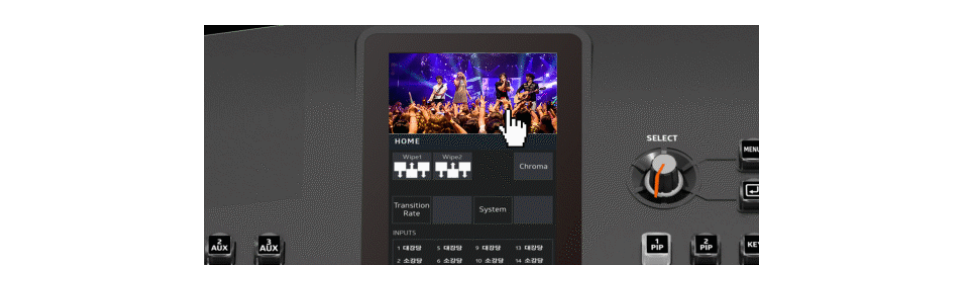
Intuitive LCD Touchscreen and Joy-stick control
All key menu or functions can be adjusted with touchscreen smoothly and extremely easily operated with rotary switch or Joy stick.

All 10 inputs built in in Scaler
ez-Pro VS10 comes with internal scalers in all input ports. Adjust freely using our touch screen menu.

Twice the Basic Features
ez-Pro VS10 has 2 Picture in Picture (PIP) capabilities, 1 Still Image which covers the whole screen, and Luma and Chroma Keyer. You can mix both features and key out the PIP and assimilate a hand language translator PIP.

Quiet Fan for your comfort
LUMANTEK carefully calibrated the fan noise to provide more comfort to its users while enabling the switcher to operate at its maximum performance.

Any ports are Fill & Key
VS10 allows to set any SDI input ports as Fill or Key.

Transfer with USB disk
It is easy to transfer your settings to VS10. Use the VS10 Utility software to save settings into your USB disk. Then plug the USB into VS10 to transfer settings, media, and new firmware.

PROGRAM/ MULTIVIEW display at LCD screen
LCD screen is able to display Program and Multiview when you touch the screen.

Click Here for More Information