The Lilliput FA1019C is an exceptional industrial monitor, particularly suitable as an in-vehicle monitor due to its compact 10.1-inch size and robust build. As a 10.1-inch monitor, it offers a high-resolution display, perfect for various industrial applications where detail and clarity are paramount. The IP65-rated monitor design ensures that it is highly resistant to dust and water, making it an ideal choice for challenging environments.
The commercial monitor features a 1500NIT display, this industrial monitor is exceptionally bright, enhancing visibility even in high ambient light conditions, which is crucial for both industrial and in-vehicle monitoring scenarios. The inclusion of USB-C inputs makes this commercial monitor highly versatile, allowing for easy connectivity with modern industrial and vehicular systems. This 10.1-inch industrial monitor, with its IP65 rating and 1500NIT display, represents a blend of durability, functionality, and advanced technology, ideal for various commercial and industrial applications.
Resolution:
The commercial monitor has a remarkable resolution of 1920×1200 pixels, and the FA1019/C guarantees sharp and detailed visuals, catering to the demands of industrial applications where precision matters.
Exceptional LED Panel Life:
At the heart of the FA1019/C lies a powerhouse – a 50000-hour LED panel. This longevity ensures not only reliable performance over an extended period but also underscores the cost-effectiveness of this high-quality display solution.
Rich Interface for Versatility:
Equipped with HDMI, VGA, and USB-C inputs, this monitor seamlessly integrates with a wide array of industrial equipment and devices. Whether you’re dealing with complex data sets or multimedia presentations, the FA1019/C has you covered.
Optional IP65 Frame and Extension Cables:
the FA1019/C offers an optional IP65 frame. This feature ensures resistance against dust and water, making the monitor suitable for challenging industrial environments. Furthermore, the inclusion of HDMI and VGA extension cables provides flexibility in installation, catering to the specific needs of your workspace.
Rugged IP65 Rating:
The monitor is not only dust-tight but also resistant to low-pressure water jets. In environments where exposure to the elements is a constant, the IP65 rating ensures the display remains unfazed, delivering optimal performance in the face of adversity.
VESA 75mm Bracket for Various Applications:
Its VESA 75mm bracket opens up a world of possibilities, from supermarket displays to ordering machines and industrial control panels. Mount the monitor securely in the most ergonomic and space-efficient manner, tailoring it to the unique requirements of your application.
High Resolution & Brightness: The Lilliput 10.1-inch monitor has FA1019C’s 1920×1200 resolution and 1500cdm² high brightness make it ideal for outdoor, industrial, and commercial applications.
Rugged Design: The Lilliput 10.1-inch monitor has the capability to withstand tough environments, as indicated by the optional IP65 frame and cable set, which is essential for outdoor and rugged installations.
Versatile Connectivity: TheLilliput 10.1-inch monitor has an inclusion of HDMI, USB Type C, and VGA video inputs supporting its use in a wide array of applications, from industrial setups to emergency vehicles.
Compact and Efficient: Lilliput’s 10.1-inch monitor has 10.1″ screen size combines compactness with efficiency, making it suitable for environments where space is at a premium, but quality cannot be compromised.
Energy Consumption: The Lilliput 10.1-inch monitor has a power consumption of less than 19W (12V), it is an energy-efficient option for sustained use in various settings.
Operating Temperatures: Lilliput 10.1-inch monitor has an ability to operate in a wide range of temperatures (-20°c to 60 °c) underscores its reliability in different climatic conditions
Next Generation: HDCP 2.2 Compliant 4K/60 4:4:4 DTP2 Receiver
DTP2 R 211 4K/60 HDMI Receiver with Audio De-Embedding
DTP2 Receiver supports the transmission of HDMI and multichannel audio, as well as bidirectional RS-232 and IR signals up to 330 feet (100 meters) over a shielded CATx cable. This HDCP 2.2-compliant product accommodates the full 18 Gbps data rate of HDMI 2.0b and supports video resolutions up to 4K/60 at 4:4:4 color sampling. Also, the stereo output is selectable between de-embedded or pass-through analog audio. The compact enclosure and features such as remote power capability make the DTP2 R 211 receiver ideal for discreet placement behind flat panel displays, with projectors, or wherever needed to meet application requirements.
Key Features
Receives HDMI plus control and analog audio up to 330 feet (100 meters) over a shielded CATx cable
A Supports computer and video resolutions up to 4K/60 @ 4:4:4
A Stereo audio de-embedding
Supported HDMI 2.0b specification features include data rates up to 18 Gbps, HDR, Deep Color up to 12-bit, 3D, and HD lossless audio formats
Support for HDR – High Dynamic
Range video
A HDCP 2.2 compliant
A Remote power capability
A Extron XTP DTP·24 shielded twisted pair cable is strongly recommended for optimal performance
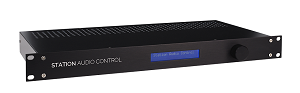
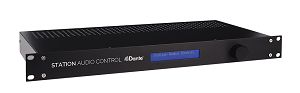
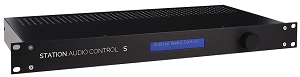
In high-stakes environments like railway stations, airports, and stadiums, a malfunctioning public address (PA) system isn’t just an inconvenience—it’s a safety hazard. Traditional systems often lack real-time diagnostics, leaving critical speaker networks vulnerable to undetected faults. Enter the Station Audio Control (SAC) series by AeroAudio, a game-changing solution designed to automate monitoring, ensure reliability, and adapt to modern audio infrastructure demands. This article explores how SAC systems, including the Dante-enabled SAC D and streaming-focused SAC S, set a new benchmark for PA network surveillance.
Why Station Audio Control Systems Are Essential for Modern PA Networks
PA systems are the backbone of communication in public spaces. Yet, common failures like amplifier outages, impedance mismatches, or damaged speakers can lead to silent zones or distorted announcements. The SAC series addresses these challenges with:
Automated Impedance Monitoring: Detects faults (e.g., short circuits or open connections) by measuring speaker network impedance (20–50,000Ω). Deviations over 10% trigger instant SNMP alerts.
24/7 Amplifier Surveillance: Verifies audio presence at inputs/outputs during broadcasts, ensuring amplifiers function correctly.
Revolutionizing Mobile RF Performance – Now with a 3 MHz Split!
Telewave.io proudly introduces the TMND3 series Compact Mobile Duplexers, breaking industry barriers with an unprecedented 3 MHz TX-RX split in a space-saving form factor. Plus, we’ve enhanced our TMND series to deliver even greater performance and reliability!
Why It Matters:
Breakthrough Frequency Separation: 3 MHz TX-RX split—first of its kind at Telewave.io!
Compact, High-Performance Design: Just 1.4 × 4.5 × 6.9 inches, with 75 dB isolation, 50 watts power handling for VHF and UHF band models, and 25 watts power handling for 700, 800, and 900 band models.
Seamless Integration: Ideal for mobile command units, emergency communication systems, and repeater setups.
✅ Ultra-Compact: Just 1.4 × 4.5 × 6.9 inches
✅ 75 dB Isolation,
✅ 50W Power Handling for VHF & UHF band models
✅ 25W Power Handling for 700, 800, and 900 band models
✅ Ideal for mobile and emergency systems
Fiber optic cables, often referred to as the “highways of data,” have revolutionized the way information is transmitted. These cables, crafted from ultra-thin strands of glass or transparent dielectric fibers, use light to carry vast amounts of data over incredible distances with remarkable speed and precision. Their innovation has become a cornerstone of modern technologies, enabling high-speed broadband internet, high-definition television, and more.
How Fiber Optic Cables Work
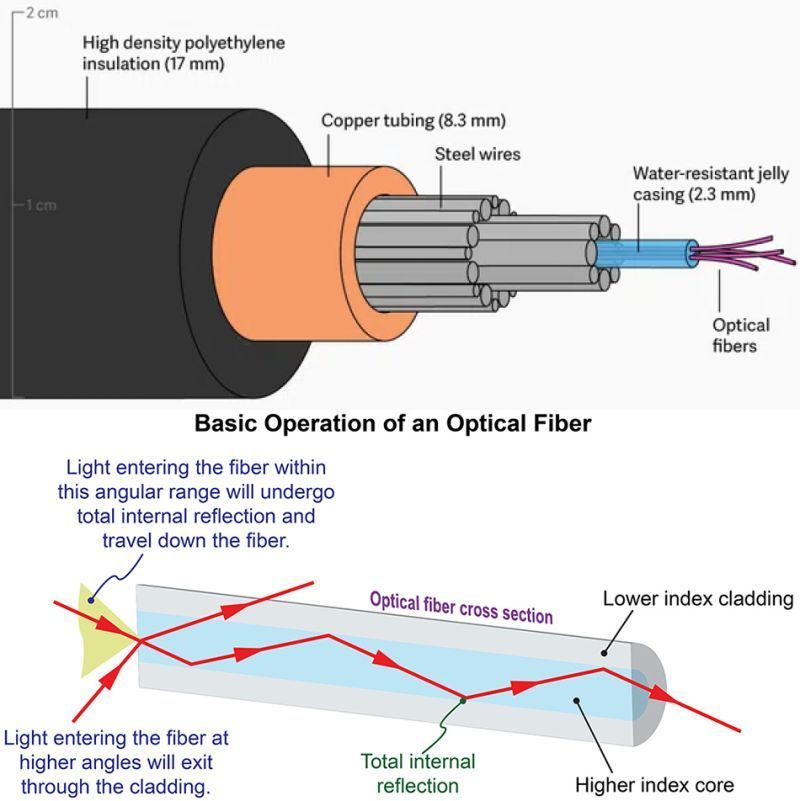
The magic of fiber optics lies in Total Internal Reflection, a phenomenon that allows light signals to travel through the cable without interruption, even around bends. This enables the efficient and simultaneous transmission of large volumes of data across multiple channels, free from electromagnetic interference.
The Anatomy of a Fiber Optic Cable
Each fiber optic cable is meticulously designed with key components to ensure performance and durability:
Glass Core: The central component where light signals are transmitted. Glass Cladding: Surrounds the core, reflecting light back into it to maintain signal integrity. Plastic Buffer Coating: Adds flexibility and protects the glass from physical damage. Outer Jacket: Shields the cable from environmental factors and mechanical wear. Modes of Data Transmission: Single-Mode vs. Multi-Mode
Fiber optic cables can transmit data in two primary modes, each suited to different needs:
Single-Mode Fiber:
Features a single glass strand with a small core (8.3 to 10 microns).
Designed for long-distance transmission with minimal signal loss.
Offers higher transmission rates and distances, making it ideal for applications requiring precision and extended reach.
Generally more expensive due to its advanced design.
Multi-Mode Fiber:
Contains multiple glass fibers with larger cores (50 to 100 microns).
Suitable for high-speed data transfer over medium distances.
More cost-effective for short-range communication but less effective over long distances due to signal distortion caused by multiple light paths.
Fiber optic technology offers several significant benefits:
Durability and Longevity: Designed to last and experience minimal signal loss over time. Electromagnetic Immunity: Unlike traditional cables, fiber optics are unaffected by electromagnetic interference. Enhanced Security: Difficult to tamper with, ensuring safe and reliable data transmission.
A Brief History of Fiber Optic Innovation
From Alexander Graham Bell’s invention of the photophone in 1880 to becoming the backbone of global communication by the 1980s, fiber optics has continually evolved to meet the demands of modern connectivity. Today, it drives innovation, transforming how we connect and communicate.
The Future of Fiber Optics
Fiber optic cables are more than just a means of data transfer—they represent the foundation of a connected future. Their speed, efficiency, and reliability make them essential for enabling the digital advancements of tomorrow.
Explore the endless possibilities of fiber optics and join the movement toward a more connected world.
The Explore SE boasts a Sony 1/1.8-inch 9MP CMOS sensor and a state-of-the-art image processor, to deliver stunning UHD images that capture realistic colors and maintain rapid focus.
NDI® and NDI®HX Support
The Explore SE camera supports both NDI® and NDI®|HX, offering flexible, high-efficiency video streaming options. NDI® provides high-quality, low-latency video over IP networks, while NDI®|HX optimizes bandwidth usage for smoother performance in network-constrained environments. This dual support ensures robust and adaptable connectivity for diverse broadcasting needs.
High-Speed 12G-SDI for Professional 4K Video
The Explore SE camera features 12G-SDI, a high-speed video interface capable of transmitting 4K video at 60 frames per second over a single cable. This ensures uncompressed, high-quality video output with minimal latency, making it ideal for professional broadcasting and live event production. The 12G-SDI connection also supports longer cable runs without signal degradation, providing reliable performance in demanding environments.
Genlock Ensures Seamless Synchronization for Multi-Camera Productions
In multi-camera productions, Genlock (generator lock) ensures seamless switching and compositing of video sources. This synchronization technique provides a reference signal, typically from a dedicated generator or a master camera, guaranteeing all connected devices capture frames at precisely the same time. This prevents tearing and inconsistencies during video production and editing. The Explore SE features Genlock for superior synchronization, allowing it to function as the main camera and ensure precise video synchronization with sub-cameras in broadcasting and live streaming setups.
FreeD is a protocol that enables precise transmission of Pan, Tilt, Zoom, and Focus (PTZF) data directly from the camera to tracking system. Widely supported by most virtual set systems, FreeD makes virtual productions easier than ever. The Explore SE seamlessly integrates FreeD technology, empowering users to explore dynamic shooting angles and perspectives, ideal for versatile real-world and virtual-world applications. Explore SE’s broad compatibility with industry-leading virtual set systems like Brainstorm, Vizrt, Zero Density, Aximmetry, Unreal Engine, and VSet3D ensures a smooth workflow for all your virtual production needs.
Robust Audio Capabilities
The Explore SE features 3.5mm line-in and Mini XLR with Phantom power, providing compatibility with various microphones and audio equipment.
Seamless Camera Setup with SSDP
Setting up your Telycam PTZ camera has never been easier, thanks to SSDP integration. This feature streamlines the process of finding your camera’s IP address, especially under multi-camera streaming, eliminating the need for complicated searches or additional tools. Simply connect your camera with an Ethernet cable, ensuring it’s on the same local network with your computer.
Versatile Output Options
This Explore SE offers diverse output options, ensuring 4K60p output through NDI®, NDI®HX, 12G-SDI, HDMI, and SFP+. It provides great flexibility and compatibility to Telycam users.
Local Recording for Backup and Cloud Production
Explore SE empowers you with in-camera recording via a microSD card slot. Simply insert a Micro SD Card for local recording, providing instant backup during network issues, quick access for event review, and readily available files for upload to your preferred cloud platform. This versatile recording solution ensures peace of mind and streamlines your cloud production process.
Dual Tally Lights for Effortless Production Cues
Explore SE features built-in dual tally lights, visible on both the front and back of the camera. These lights work seamlessly with NDI, Visca Serial, and Visca over IP protocols. With a simple glance, on-screen talent and crew can identify the currently live camera (“Program”) and the one lined up for the next transition (“Preview”). This intuitive system ensures clear communication, guaranteeing smooth video production.
Versatility with Cropping: One Camera, Two Shots
Explore SE empowers you to capture a full 4K60 scene while simultaneously generating a separate, zoomed-in 1080p or 720p video feed. This innovative feature is ideal for situations where you need both a wide shot and a close-up, maximizing the use of a single camera. The intuitive Telycam WebUI empowers you with effortless control over your composition. Simply customize the cropping position to perfectly tailor your shots and elevate your content creation.
Native AI-Based Auto-Tracking
The Explore SE features AI-based auto-tracking, automatically following subjects to enhance ease of use and capture the moments flawlessly.
The Lilliput Q31-8K is part of the Lilliput flagship range of monitors designed to handle and process an 8K video input signal. It takes 4 x 12G-SDI input feeds via the BNC connectors at the back of the unit, and in compliance with the ST2082-12 video protocol, combines them to create an 8K 60Hz video signal which it displays on the 3840 x 2160 pixel panel.
With other features such as REC. 709 and DCI-P3 Color Space, 3D LUT Support, Remote Control through LAN connection, Multiview and Quad-Split, and an optionally purchased 12G-SFP connection – the Q18-8K packs massive value monitoring into an easy-to-operate system.
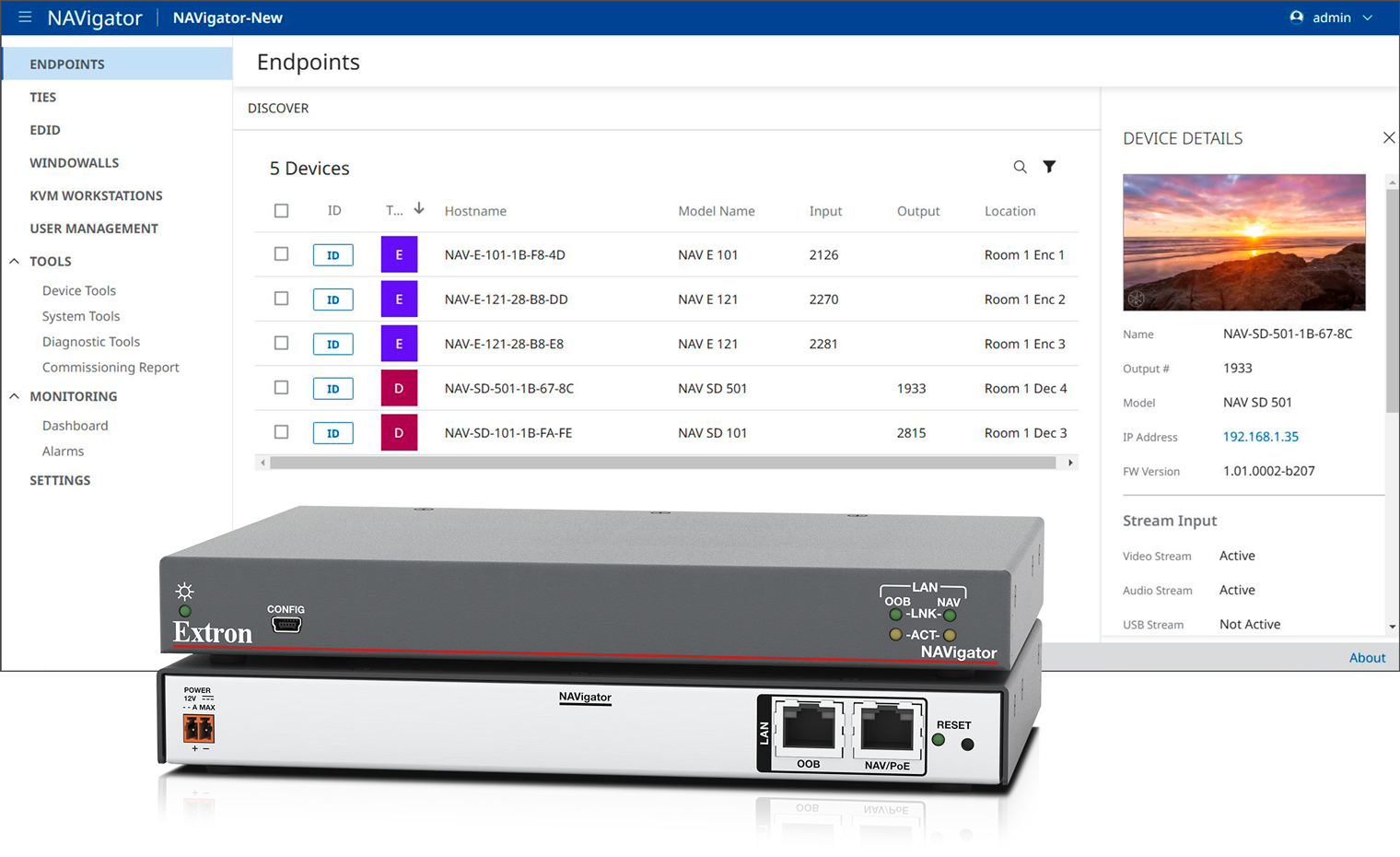
NAV has been updated with a range of features that bring powerful, new capabilities to the platform. NAVigator Redundancy adds an additional layer of protection to the highly reliable NAVigator System Manager. Automated System Backup complements the NAVigator Redundancy feature by enabling scheduled backups of configuration data. NAVigator now integrates with Active Directory®, streamlining centralized user management and permission authentication. Additionally, the NAV System now supports IPv4/v6 Dual Stack streaming video and audio over multicast IPv6.
The NAV Pro AV over IP Series is the only solution designed for the enterprise network. The patented PURE3® codec delivers lossless 4K/60 4:4:4 video with ultra-low latency and efficient bit rates while tolerating the bursty network traffic found on converged networks. PURE3 is the ONLY codec specifically designed for the Pro AV industry that delivers robust, pristine video on converged or isolated networks.
Key Features
NAVigator Redundancy enables a standby NAVigator to takeover in the event of a primary failure
Automated System Backup of NAVigator configuration data
Active Directory assists in user and rights management
IPv4/v6 Dual Stack enables streaming media via IPv6
New NAV Series Firmware is now available for download.
New Products
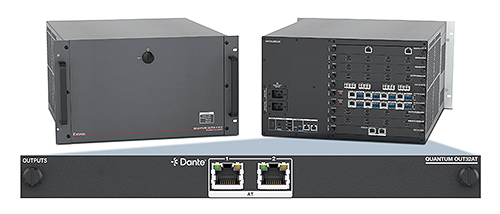
Quantum OUT32AT
Dante Audio Output Card for Quantum Ultra II
Our Quantum® Ultra II videowall processors now support direct connection with Dante® systems. The new Quantum OUT32AT output card for Quantum Ultra II delivers up to 32 stereo pairs of digital audio from a videowall system to a Dante audio network. Audio for each Dante stereo pair can be fixed to a source connected to a Quantum IN4HDMI 4K PLUS or Quantum IN4FOX3 input card. Alternatively, each pair can follow the active program audio for any of up to 20 available canvases. A single Quantum OUT32AT card can support an entire Quantum Ultra II system, simplifying audio management and videowall design.
VCS software and SIS commands facilitate audio mapping, with Dante Controller software enabling advanced card configuration. Primary and secondary Dante Ethernet ports provide redundancy for maximum uptime.
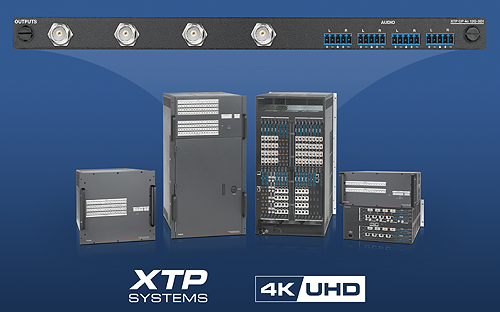
Our new XTP CP 4o 12G‑SDI output board completes the “ins and outs” of 12G‑SDI in XTP Systems®. Like the XTP® 12G‑SDI input board, the output board with four 12G‑SDI outputs supports 12G‑SDI, 6G‑SDI, 3G‑SDI, and HD‑SDI video signal data rates up to 11.88 Gbps. It supports resolutions up to 4K/60. This XTP board also passes embedded AES audio and features four balanced/unbalanced stereo analog audio outputs. Independent output, video and/or audio muting, and volume adjustment capability enhance system flexibility.
For optimal performance, automatic output reclocking ensures proper timing and absolute signal integrity. These many features make the XTP CP 4o 12G‑SDI output board ideal for users looking to distribute 4K video in SDI-equipped live-event environments. Along with the XTP CP 4i 12G‑SDI input board, supporting direct connectivity of 12G‑SDI signals in new and existing XTP applications just became easy.
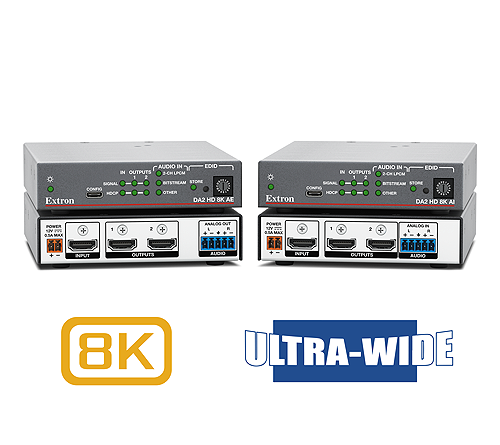
8K HDMI Distribution Amplifiers with Audio De-Embedding and Embedding
Introducing two new additions to our expanding family of 8K products:
The DA2 HD 8K AE is a two-output 8K HDMI distribution amplifier that extracts two-channel LPCM audio from the HDMI input signal and converts it to analog audio. Its analog output is configurable for stereo or dual-mono signals.
The DA2 HD 8K AI two-output 8K HDMI distribution amplifier accepts separate two-channel analog audio and converts it to 16‑bit LPCM audio at 48 kHz for embedding onto the HDMI output signal.
These HDCP 2.3-compliant products feature Extron EDID Minder Plus. This technology supports additional memory blocks for displays that convey advanced features via both EDID and DisplayID for proper management of the extended EDID information required to reliably display and distribute 5K and 21:9 aspect ratio content. They are loaded with more features and capabilities that streamline integration and operation. The DA2 HD 8K AE and DA2 HD 8K AI ensure high quality and reliable system operation in a wide variety of professional environments, from presentation venues to esports arenas.
Extron NAV Pro AVoIP System Elevates
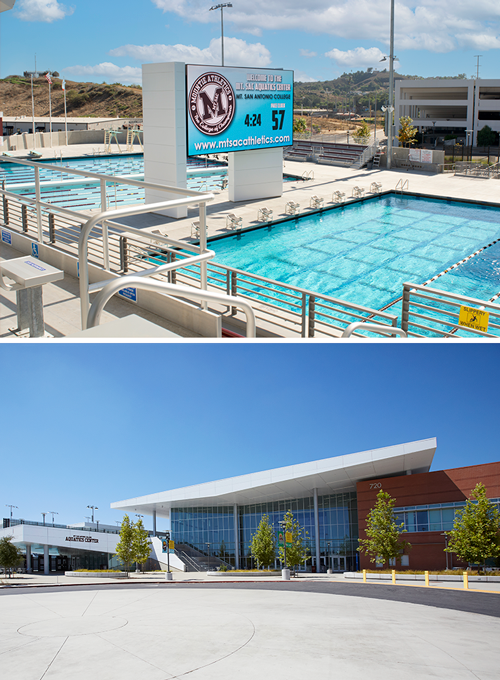
Mt. San Antonio College Aquatics Center and Gym Complex
Mt. San Antonio College (Mt. SAC) ranks as a top community college in California. At 421 acres, this 75-year-old college is one of the largest in the state and it continues to expand to meet a burgeoning student enrollment. As part of the recent campus expansion, Mt. SAC built a state-of-the-art gymnasium and aquatics complex with innovative technology. For the new complex, Mt. SAC required an AV system installation that linked all spaces and met the significant challenge of content display at a wide variety of native resolutions.
The answer was the Extron NAV Pro AV over IP system, with NAV scaling decoders and Extron control systems. The gym and aquatic complex’s NAV system currently consists of 93 endpoints and is expandable. It links the main gym, multi-purpose gym, main pool, dive pool, and an array of other NAV endpoints in meeting, learning, and targeted environments. Integration firm Centerpoint used one NAVigator Pro AV over IP System Manager with a LinkLicense upgrade to configure the encoders and scaling decoders en masse, saving time and streamlining setup.
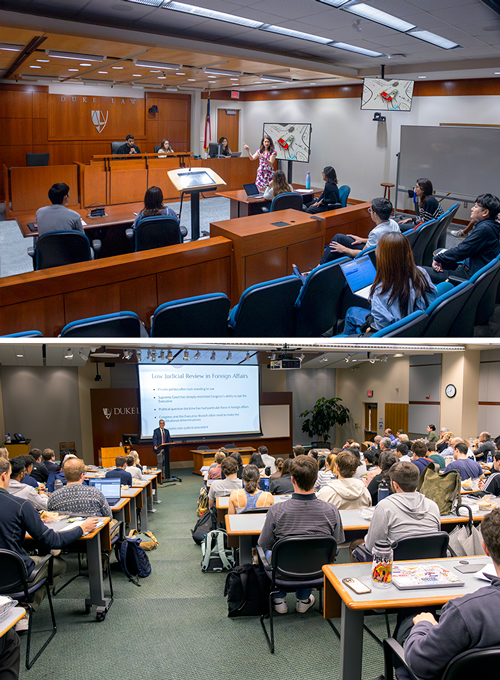
Duke Law School Modernizes Lecture Halls and Moot Courtroom with Extron AV Solutions
Duke University School of Law in Durham, North Carolina, recently refreshed existing audiovisual teaching systems in three lecture halls and a moot courtroom. Duke Law’s AV team upgraded the equipment with the latest Extron products, including NAV Pro AV over IP. The upgrade resulted in an immediate boost in system reliability. NAV Pro routes content to multiple rooms for overflow, leveraging AV over IP to perform this essential function with more flexibility and scalability than the old point-to-point setup.
The new system provides full streaming and production capabilities from a broadcast caliber control room.The AV staff can securely tap into the AV control system from their office, from home, or anywhere with internet access to perform remote maintenance and user support. The touchpanel user interface retains the look and feel that people were accustomed to, resulting in a smooth transition.
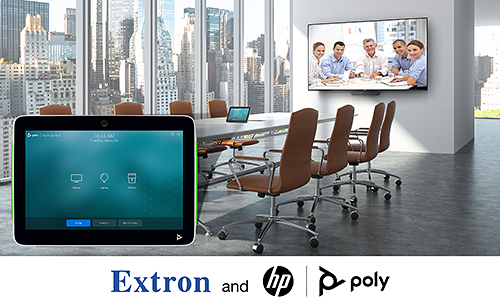
New Extron Control integration Option for Poly Meeting Room Solutions
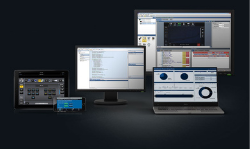
Extron Control for Poly is a unique joint integration effort that enables Extron control capabilities for Poly meeting room solutions. Our Extron Control for Web is integrated with Poly VideoOS software. Users can seamlessly enhance their conferencing experiences with control of room devices, such as lighting, window shades, displays, and more, all from the same Poly touchpanel used to access call controls. This combination provides scalability, simplified controls, and automation for the most demanding meeting room requirements.
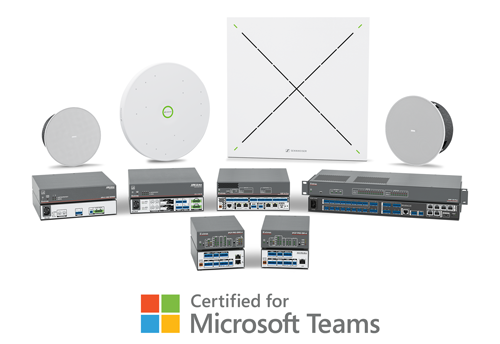
IP Link Pro xi Series Control Processors Now Certified as Enterprise Solutions for Microsoft Teams
We are pleased to announce that our popular Certified for Microsoft Teams Design Solutions now include select control processors from our IPCP Pro xi Series and the new TeamConnect Ceiling Medium – TCC M – ceiling microphone from Sennheiser. We’ve worked with Sennheiser and Microsoft to develop these new meeting space solutions that deliver an unmatched user experience, all while focusing on the security that is built into the products.
The Extron products listed below have been meticulously tested for best-in-class performance, security, and ease of use..
Certified for Microsoft Teams Rooms Solution Capabilities
Connects the room with a Microsoft Teams meeting
Exceptional intelligibility with Extron AEC
Enterprise level routing flexibility and device compatibility with Dante AoIP
Clear audio playback
Secure control system integration, including the industry standard 802.1X
Flexible installation options
Paintable ceiling elements to blend in with any décor
You can find all of the complete certified designs, featured solutions, and detailed information on the individual products they include on our Microsoft Teams Solutions page. These designs and solutions can be deployed in any size environment, and in any application from enterprise to education to remote work.
Expand Your Skills: New Online Training for NAV System Design
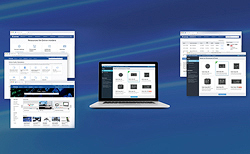
We’ve just published a brand-new training:Design Considerations for NAV Systems. This self-paced, online course is designed to equip you with the knowledge and best practices to design and optimize NAV Pro AV over IP systems effectively. You will learn how to access and leverage the wide range of system design tools and resources provided by Extron. Finally, the course will help participants understand the fundamental requirements for planning an AV network and designing a process to support ongoing NAV System operation.
Here’s what you’ll learn:
General Principles and Best Practices: Gain insights into creating optimal system designs.
NAV-Specific Resources: Explore tools and materials tailored to NAV system planning.
AV and Network Infrastructure Planning: Understand the key requirements for seamless NAV System operation.
If you are an Extron customer—a reseller, consultant, education professional, or AV technician—you are invited to become an Extron Insider for access to:
California State University Channel Islands (CSUCI) occupies a picturesque campus nestled against the Santa Monica Mountain foothills, 10 minutes from Pacific Ocean beaches in Ventura County. Opened in 2002, it is the youngest of 23 CSU campuses. 556 staff members educate 5,127 students living on and off campus. The school offers 27 undergraduate majors and eight graduate programs spanning the arts, humanities, and science.
CHALLENGES
The Dolphins esports club has been active on campus for some time, using improvised quarters in classrooms and, occasionally, even overflowing into hallways. A student-driven initiative, supported by the administration, led to the recent opening of a purpose-built esports lounge equipped with sophisticated computer, network, and audiovisual technology that can support the ultimate goal of competing in intercollegiate esports league tournaments. The new venue allows the esports club to fulfill its charter to promote a friendly gaming community that encourages student comradery while building computer literacy and providing a social outlet through video games. A robust esports program is also a draw for student recruitment, particularly to encourage on-campus residency.
Christopher Murphy, CSUCI’s ITS Manager of User Services, his IT team, and esports team members turned the esports lounge vision into reality. They did it with assistance from pro integrator EKC Enterprises, Inc., headquartered in Fresno, Calif., who performed design, installation, and AV control programming. Student members of the esports club contributed to the effort by building many of the high-performance gaming PCs at “build parties” facilitated by the Information Technology Services department. Extron products play key roles in AV signal switching, distribution, control, and audio. NAV® Pro AV over IP provides the flexible and scalable AV distribution backbone.
Extron listened to our needs. They presented a CrossPoint® switch solution and a NAV Pro AV over IP solution. They walked us through the pros and cons of both designs for our esports application, looking at technical and cost tradeoffs and flexibility. It was really helpful having that expertise at hand. We went with NAV.
DESIGN SOLUTION
15 Gaming Stations Plus a Laptop PC Dock
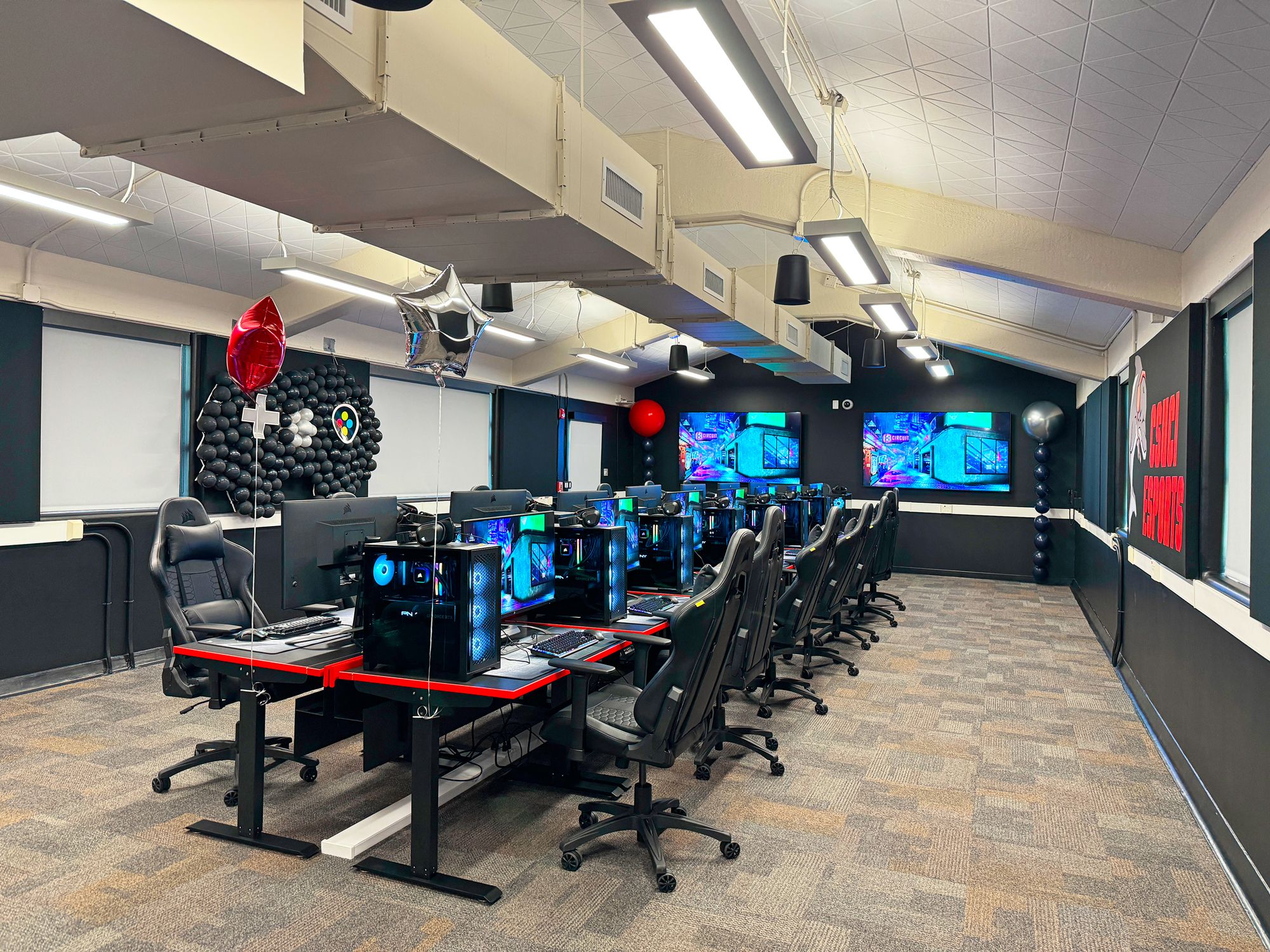
Fourteen gaming stations occupy a long table, with seven stations on each side. The instructor gaming station is at the head of the table. Each station includes a high-performance gaming PC running gaming software apps, a high refresh rate gaming monitor, gaming keyboard, mouse, and headphones. The gaming monitors connect to the PCs via DisplayPort.
For intramural gameplay between the 15 stations in the room, the gaming apps running on the PCs interact over the Ethernet LAN. Via this LAN connection, the instructor station operator can select and observe the gameplay action being viewed and heard at any of the 15 stations. The play action being observed at the instructor station is available at the HDMI port of the instructor PC. This port is connected to the AV over IP network via a NAV E 101 encoder. The selected gaming action is routed through the AV over IP network to any of the room’s three spectator screens and to the overhead pendant speakers for the audience to take-in.
The instructor station includes a second NAV encoder to accommodate connection of a laptop PC to the AV over IP network. The laptop can be used as a 16th gaming station, or it can provide lecture content for conducting traditional class instruction in the room.
A Retro Gaming Corner with an Old-School CRT TV
For those wishing to play games on retro game consoles with pre-HDMI composite video and audio, there is an old-school CRT TV in a corner of the room. This TV has composite video and stereo audio jacks to accommodate connection needs for such nostalgic gaming sessions.
Spectator Displays
The room has three commercial grade 4K UHD digital signage displays. Two 75″ displays are on the wall at the instructor end of the gaming station table. They perform double duty as teaching displays when the room is being used for traditional classroom instruction, and as spectator gaming displays when the room is used for esports. In the main spectator viewing area located behind the instructor station, guests can watch the action while sitting on couches that face an 86″ display. Mounted behind each display is a NAV SD 101 scaling decoder connected to the AV over IP network. Each decoder provides its display with an HDMI signal carrying the gameplay action and RS-232 signals to control the display.
Audio System Fills the Room with the Sounds of Gaming Action
What would esports be without enveloping sounds of the gaming action? Players hear it through their headphones. Spectators in the room get high fidelity sound through six SF 26PT ceiling mounted pendant speakers. The speakers are driven by a powerful yet energy efficient XPA U 1004 amplifier with four 100 watt channels. Ahead of the amplifier is a DMP 128 Plus audio DSP processor that interfaces the audio system to the AV over IP network via Dante/AES67 connectivity. The DMP unit tailors the audio for room acoustics and provides AEC audio echo cancellation.
AV System Control
The AV system is controlled by an IPCP Pro xi control processor. A NAVigator system manager configures and manages the endpoints of the NAV AV over IP network.
The user interface is a 10” tabletop TouchLink® Pro touchpanel positioned at the instructor station. Using Global Configurator® Plus and GUI Designer, EKC Enterprises created an intuitive user interface for the touchpanel that allows the operator to send gaming action from any one of the gaming stations to any of the spectator screens in the room. The two 75″ displays on the front wall of the room double as teaching displays when the esports lounge is functioning as a standard classroom, receiving audiovisual lecture material from the instructor station desktop or laptop PC.
Room Scheduling
CSUCI expects the esports lounge to be in high demand for both gaming and teaching. So they decided to include the lounge as a bookable room in the CSU 25Live® Pro room scheduling system. At the entrance to the esports lounge, a 10″ TLS room scheduling touchpanel shows booking details for the room and indicates at a glance with green or red backlighting whether the room is occupied. The scheduling panel is connected to the 25Live scheduling system via Room Agent™ room booking software, so the room can be reserved right from the touchpanel, from a computer, a smartphone, or tablet.
NAV Pro AV over IP Scalability Makes Upgrades Simple and Seamless
Designs have already been mapped out to expand AV system functionality in the esports lounge. The scalability of the NAV Pro AV over IP network makes incremental future additions to the AV system straightforward. Adding each new endpoint requires only an additional NAV encoder or scaling decoder.
The AV system design includes provisions for installation of SMP 111 and SMP 352 streaming media processors to add recording and streaming functionality. This will enable the CSUCI Dolphins esports team to compete in intercollegiate league tournaments via internet gaming platforms such as Twitch. In the same vein, the design accommodates addition of a Mediaport 300 scaling bridge, which sends audio and video signals from the AV system to the instructor PC for integration with software and cloud-based unified communication platforms such as Zoom. PTZ cameras are also a planned addition to provide video feeds of activities in the esports lounge for viewing, recording, and streaming.
To enhance the spectator experience, an MGP 641 xi multi-window processor is included in the design plan. This will provide the capability for the spectator displays to show up to four source signals on a single screen, with the windows arranged in any position and orientation against a live or static background.
And for outdoor movie nights on warm summer evenings, a direct-view LED videowall is being considered for the outside wall facing the quad. This videowall could also show the gaming action going on inside.
As an IT manager, one of the first things to come to mind when we selected NAV for the esports lounge was compatibility with our existing network switches. By the time design was complete and installation began, Extron had certified our network switches for NAV compliance.
Similar to our campus’s classroom AV systems, the esports AV system is on a VLAN within our campus enterprise network. With the esports lounge in daily use, the network has functioned normally. I’ve seen no impacts to AV signal transmission, nor to the gaming experience. And overall network performance remains solid.
RESULTS
CSUCI’s esports lounge is a testament to teamwork and determination. Esports club members, led by club president and second year computer science major Chris Hernandez, proposed a permanent esports venue. Faculty, administration, and donors saw the value and pitched-in to make it happen.
The project was a valuable learning experience for students. Esports club members built the gaming PCs themselves. This conserved the project budget, and students gained hands-on technical knowledge. A win-win, before gameplay even began.
Students developed promotional programs for the new esports lounge, working with the university Student Marketing Center on design of logos and banners. Going forward, student clubs and university administrators will oversee event programming and upkeep of the facility. According to Dr. Eboni Ford Turnbow, Vice President for Student Affairs and a key advocate for the esports lounge, her office plans to expand tournament participation and partnerships within the national academic community and the local Ventura County community. Also, faculty will be encouraged to take advantage of the technology-rich environment for teaching uses.
All of our classrooms are outfitted with Extron AV. Last summer, we created a whole new classroom standard and worked with Extron to develop that.
We’ve been an Extron campus for close to 20 years. I’m impressed with the longevity of the product. Like any public enterprise, funding is not always guaranteed. Having equipment that stands the test of time is important, because we can’t always perform technology refreshes on our planned refurbishment schedules.
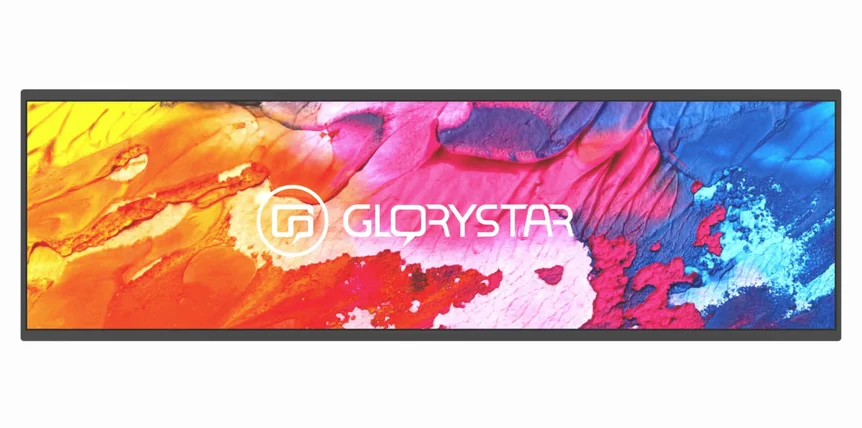
The Capella 37″ Stretched Display by Glory Star is a versatile and powerful solution for modern digital signage. This ultrawide display, with its elongated 32:9 aspect ratio, is designed to provide exceptional visual clarity, boasting a resolution of 1920×540 pixels and brightness up to 1000 nits. Whether installed in portrait or landscape orientation, the Capella display fits into narrow spaces, making it ideal for high-traffic environments like airports, retail stores, transport hubs, and food stalls. Its panoramic view, with an 89-degree viewing angle, ensures that content is immersive and visible from various angles.
The stretch display runs on Android 12, supported by Bluetooth 5.0 and WiFi connectivity, allowing seamless integration with a wide range of applications. It includes multiple convenient ports such as RJ45, USB, TF Slot, and Type C, making it compatible with various hardware. Additionally, Capella is energy-efficient, offering low power consumption even during extended usage, translating to significant cost savings and reduced environmental impact.
One of the standout features is its Star Control Mobile Device Management system, which allows remote control of the stretch display. Users can manage apps, deploy content, and maintain device settings from anywhere. Moreover, the Musea Digital Signage Software simplifies content creation and management through a cloud-based interface, letting businesses design, edit, and control digital signage remotely.
Stretched Display Key Features:
37″ Ultrawide Stretch Display: Ideal for tight spaces (portrait or landscape orientation), providing better visibility for users on the move.
Stretch Display Resolution: 1920×540 with 1000 nits brightness, ensuring clarity in various environments (indoor and semi-outdoor).
Aspect Ratio: 32:9 and a 89-degree viewing angle for a panoramic experience, enhancing immersive content delivery.
Operating System: Android 12 with BT 5.0, WiFi, and multiple ports (RJ45, USB, TF Slot, Type C).
Energy-Efficient: Low power consumption with continuous use, lowering energy costs.
Remote Management: Using Star Control Mobile Device Management for easy control and maintenance of content and settings.
Stretch Display Software: Comes with Musea Digital Signage Software for cloud-based remote content creation and management.